


iOS 26.4 looks like a routine update on paper. Apple listed 13 new features in its release notes, and most of them sound familiar if you’ve been following recent betas.
But after digging a little deeper, there are at least 4 more changes Apple didn’t highlight, and they’re the kind you’ll actually notice in daily use. From tracking hotspot data per device to automating battery charge limits, iOS 26.4 quietly fixes small frustrations that have been around for years.
Here’s everything new, including the hidden upgrades that make this update worth installing.
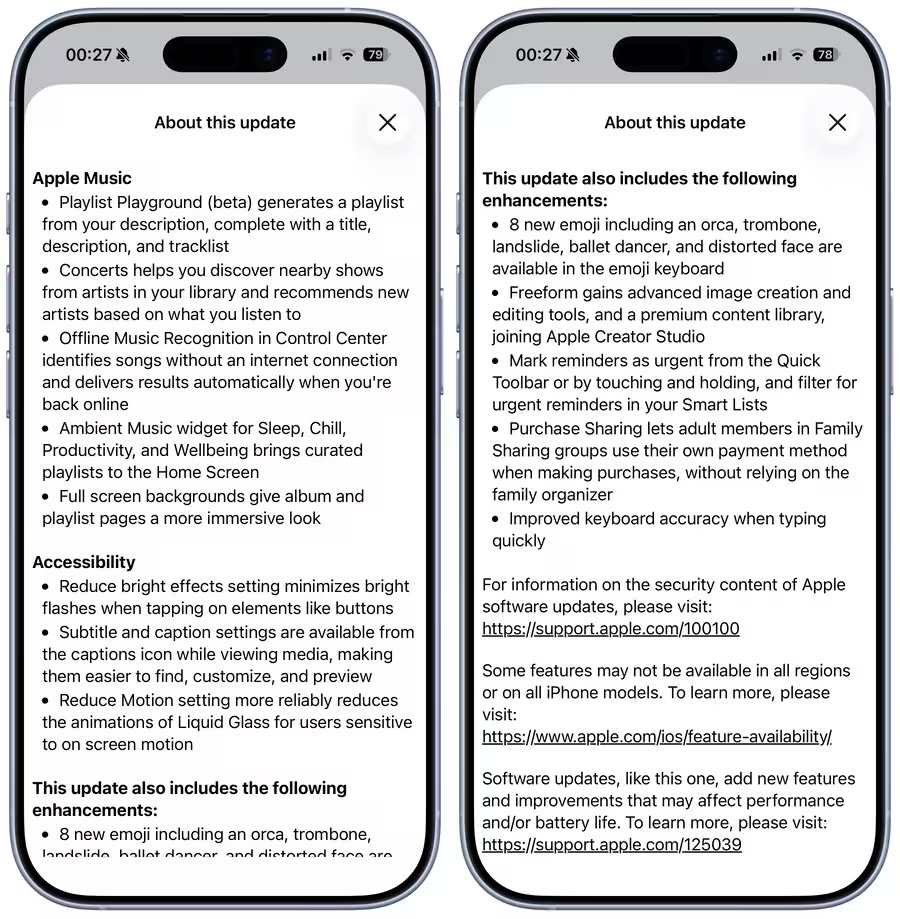
1. Playlist Playground: AI-powered music curation
Apple Music gets smarter with Playlist Playground (beta). You can now type a mood, activity, or even a single idea, and the iPhone will generate a playlist with a title, description, and tracks.
Whether you’re working, relaxing, or getting ready to run, this feature gives your Apple Music library a personal touch.
2. Concerts Near You: discover shows effortlessly
Never miss a local show again. The Concerts feature recommends live events based on the artists in your library, helping you discover new musicians while keeping your favorites in sight.
It’s a subtle but powerful way for iPhone users to connect with music beyond streaming.
3. Offline Music Recognition: identify songs without Wi-Fi
iOS 26.4 can now recognize songs while offline and automatically sync the results when you’re back online. No more losing track of a song you hear on the go.
4. Ambient Music widget: curated playlists on your Home Screen
New Home Screen widgets give you instant access to playlists for Sleep, Chill, Productivity, and Wellbeing.
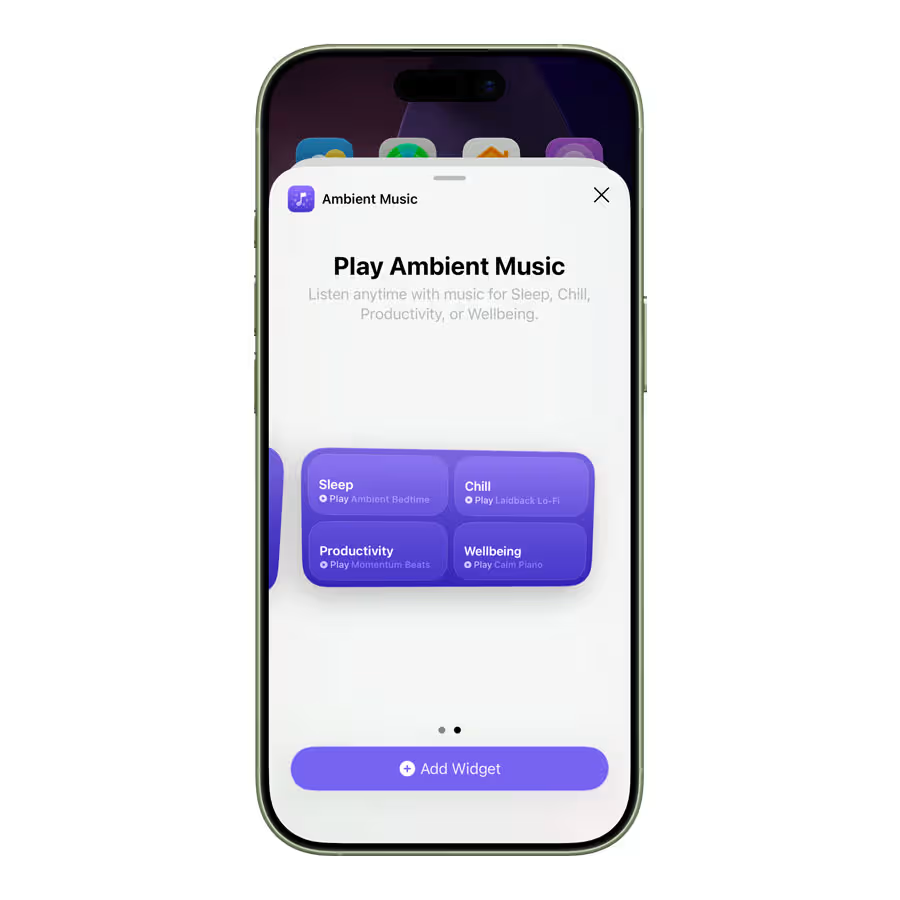
Instead of opening apps, your favorite moods are just a tap away.
5. Full-screen album artwork: a more immersive Apple Music experience
iOS 26.4 brings full-page album and playlist artwork, giving Apple Music a cleaner, more immersive browsing experience.
6. Freeform upgrades for creators
Apple continues to support creative workflows with Freeform. iOS 26.4 adds:
- Advanced image editing and upscaling
- Access to premium content for Creator Studio subscribers
- Compatibility with OpenAI-generated images
Perfect for designers, illustrators, and planners who want more from their iPhone’s native apps.
7. Urgent Reminders: prioritize tasks easily
You can now mark reminders as urgent directly from the Quick Toolbar or Smart Lists. It’s a small tweak, but it makes task management feel smarter and faster.
8. Purchase Sharing: independent payments for family members
iOS 26.4 allows adult members of Family Sharing to use their own payment method without relying on the family organizer.
9. Accessibility tweaks
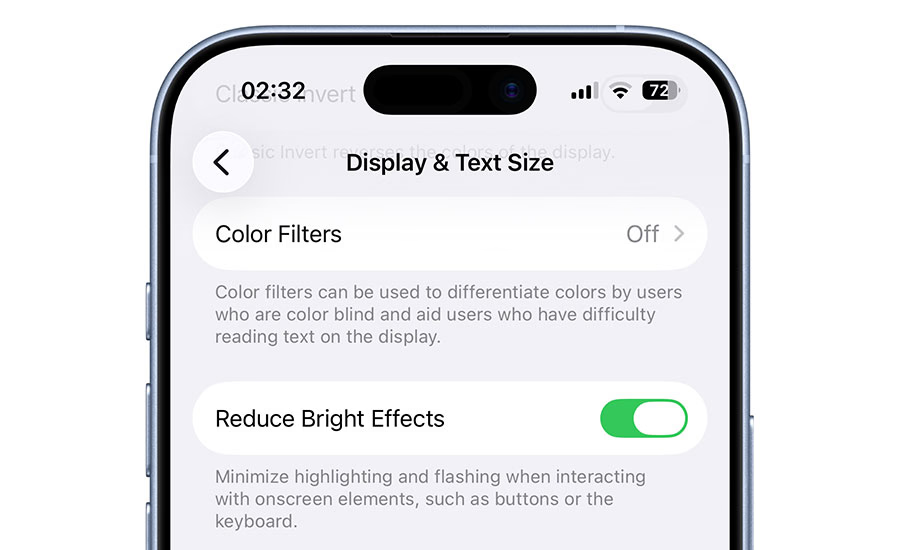
For iPhone users with sensitivities or accessibility needs:
- Reduce Bright Effects minimizes harsh flashes
- Better subtitles and caption controls
- Reduce Motion more reliably tones down interface animations
10. New emoji
Apple adds 8 new emoji including:
- Orca
- Trombone
- Landslide
- Ballet dancer
- Distorted face
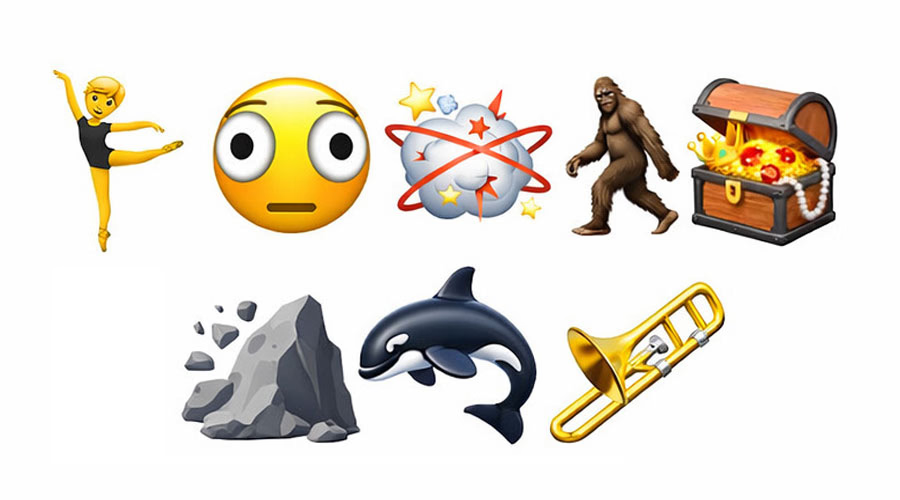
Fun, expressive, and ready for social posts or iMessage conversations.
11–13. Miscellaneous yet useful upgrades
Other small but practical features include:
- Improved keyboard accuracy for all users (still subtle, not the main headline)
- Enhanced Sleep app metrics
- Stolen Device Protection enabled by default
These tweaks may not grab headlines, but they improve day-to-day usability.
4 Hidden improvements and changes Apple didn’t announce in iOS 26.4 release notes
1. Search redesign (iOS 18 style)
Apple is giving the Search bar a subtle makeover in iOS 26.4, moving it back to the top of the screen in apps like the App Store and Apple Games.
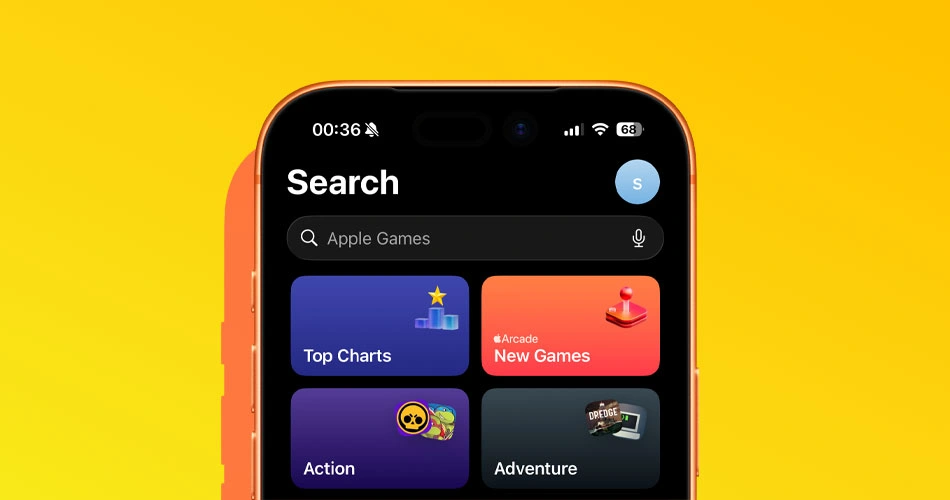
The layout feels cleaner and more in line with iOS 18, making it easier to navigate and actually find what you’re looking for.
2. Hotspot data usage per device
Finally, iOS 26.4 shows how much data each device connected to your Personal Hotspot is using.
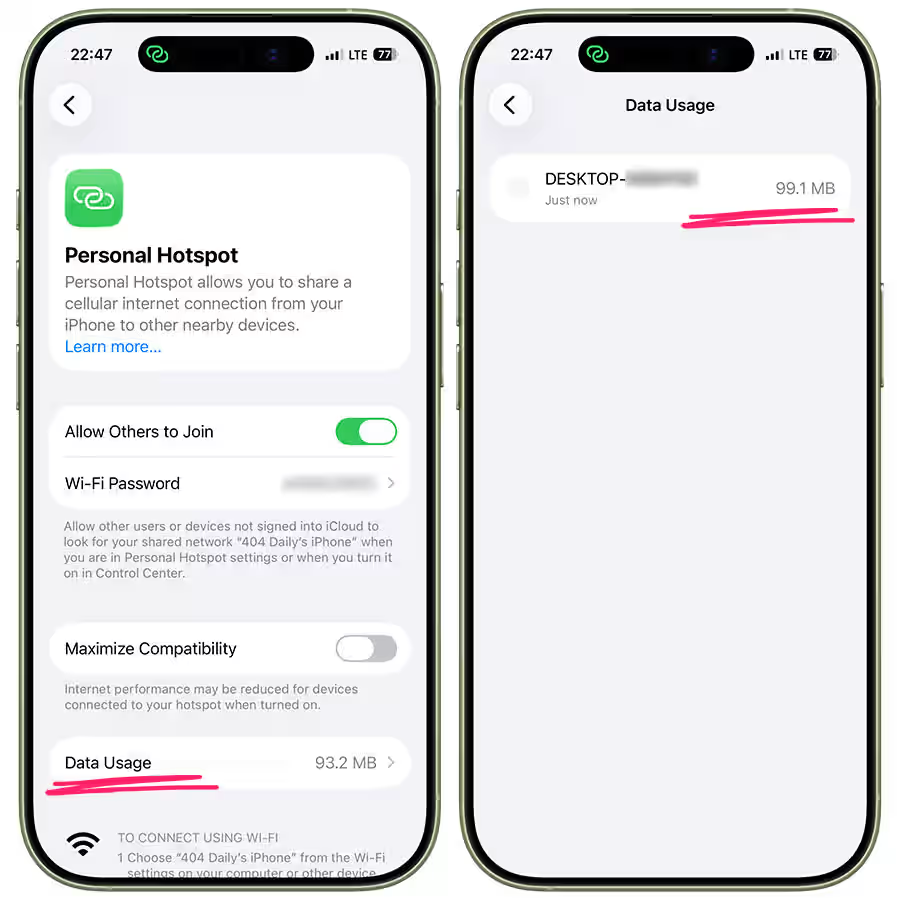
Whether it’s your Mac, iPad, or a friend’s iPhone, you can now track consumption per device and avoid nasty surprises on capped plans.
3. Charge Limit Shortcuts / CarPlay automation
iOS 26.4 adds a new Shortcuts action for Charge Limit, letting you cap your battery automatically based on location or CarPlay triggers.
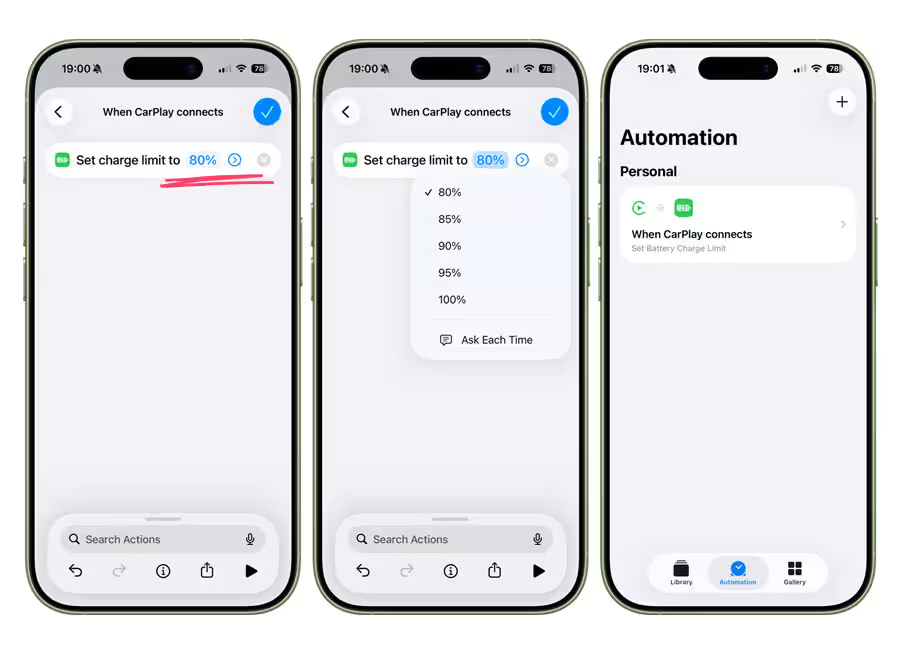
Want your iPhone to stop charging at 80% overnight or top up before a trip? Now you can automate it without opening Settings.
4. Wallpaper gallery redesign
The Wallpaper Gallery has been refreshed with faster browsing and more immersive previews.
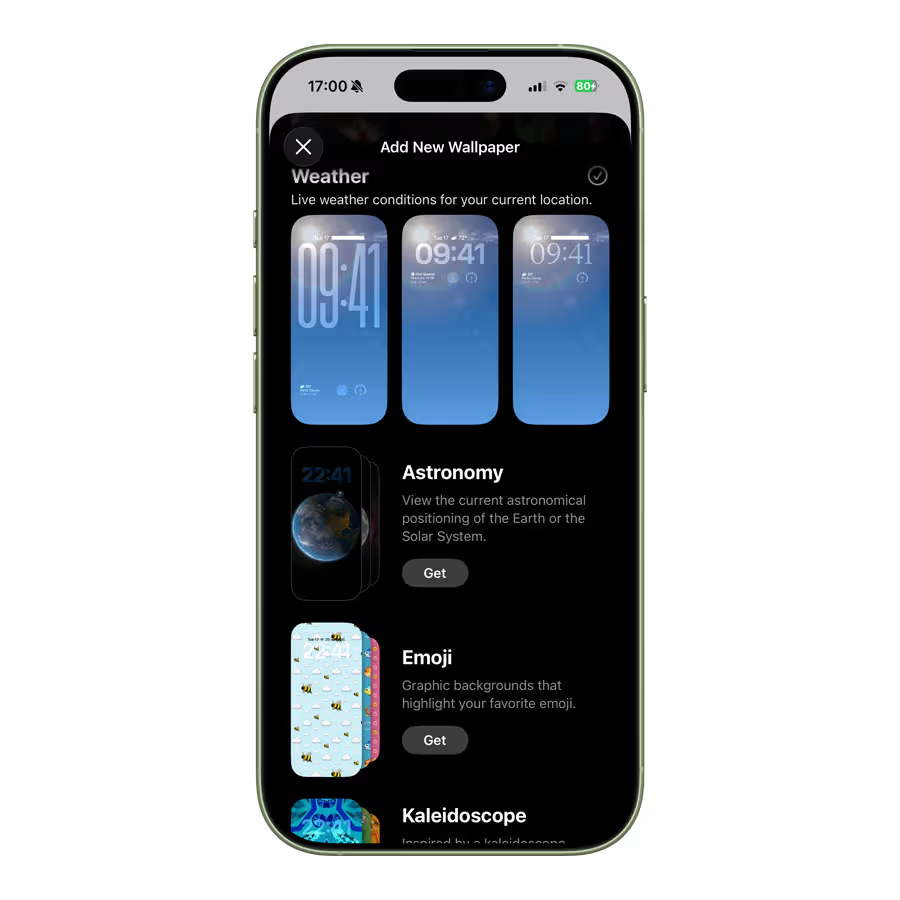
Switching between home and lock screen options feels smoother, and the updated layout makes it easier to pick the perfect background without endless scrolling.
How to get iOS 26.4
If you’re a beta tester:
- Backup your iPhone
- Go to Settings > General > Software Update
- Tap the iOS 26.4 RC and install
The official public release should follow next week, barring any last-minute issues.
Instead of flashy changes or minor emoji updates, iOS 26.4 focuses on features you actually interact with daily. Whether it’s music, productivity, or content creation, this update quietly makes your iPhone feel smarter and more personal.



