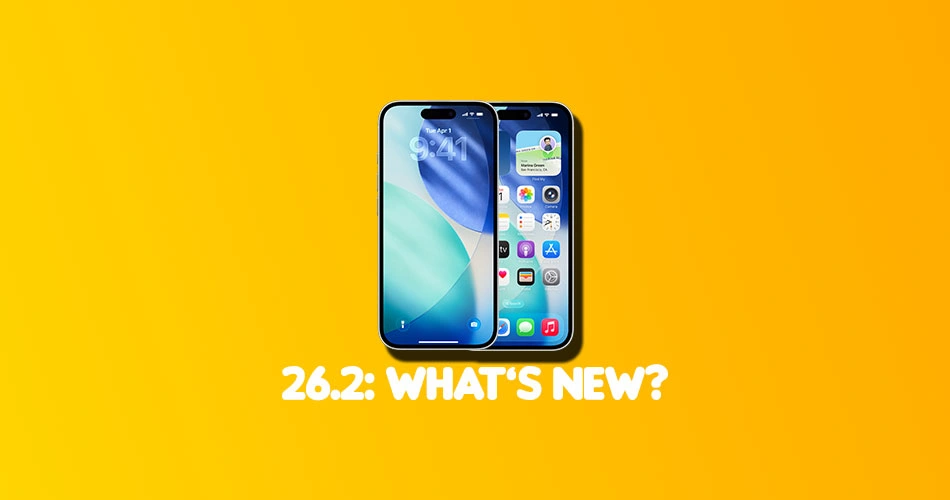
Apple has officially released iOS 26.2, and while it is not a headline grabbing overhaul, it is one of those updates that quietly improves a lot of everyday iPhone experiences.
From smarter reminders and safer AirDrop transfers to meaningful accessibility upgrades and regional changes driven by regulation, iOS 26.2 is packed with practical improvements.
Below is a complete breakdown of everything new in iOS 26.2.
Jump to A Section
- Alarms for Reminders
- Lock Screen and Liquid Glass updates
- AirDrop security improvements
- Apple Music updates
- Sleep Score changes
- Podcasts app upgrades
- Passwords app controls
- Freeform tables
- Apple News redesign
- Home app improvements
- Accessibility updates
- Safety and emergency alerts
- Measure app refresh
- Games app enhancements
- CarPlay changes
- Menu animation updates
- Privacy notices
- AirPods Live Translation expansion
- Region-specific changes (Japan and Texas)
- iPadOS 26.2 multitasking bonus
- Bug fixes and security updates
Alarms for Reminders
The Reminders app now supports full alarm-style alerts. By enabling the new Urgent toggle when creating a reminder, your iPhone will trigger a system alarm when the task is due.
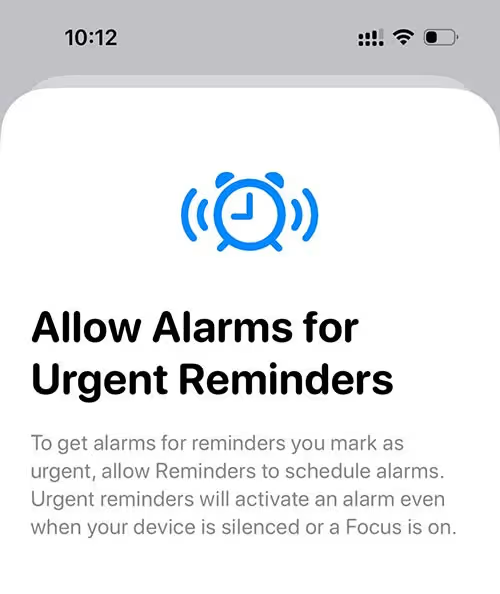
You get snooze and stop controls, plus a Live Activity countdown on the Lock Screen. Apple also uses a distinct blue color to differentiate reminder alarms from standard alarms, which helps reduce confusion.
Lock Screen and Liquid Glass updates
iOS 26.2 expands customization for the Lock Screen clock with a Liquid Glass intensity slider. You can make the time nearly transparent or give it a frosted look.
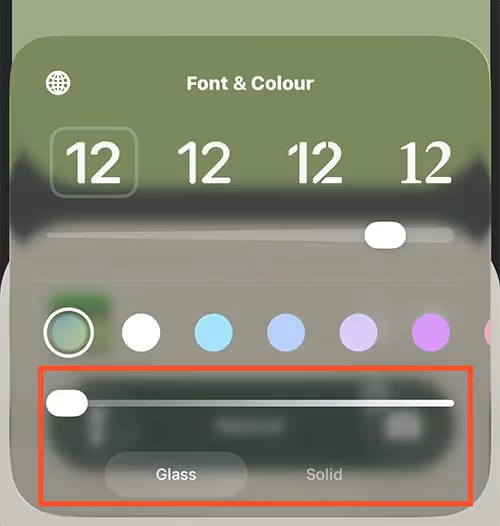
There is also clearer behavior around the Tinted Glass option, which automatically disables certain accessibility settings like Reduce Transparency when enabled.
AirDrop Security Improvements
AirDrop gets a major security upgrade in iOS 26.2. When sharing with unknown contacts, users can now generate a temporary AirDrop code on the receiving device. Entering that code allows transfers for a limited 30 day period.
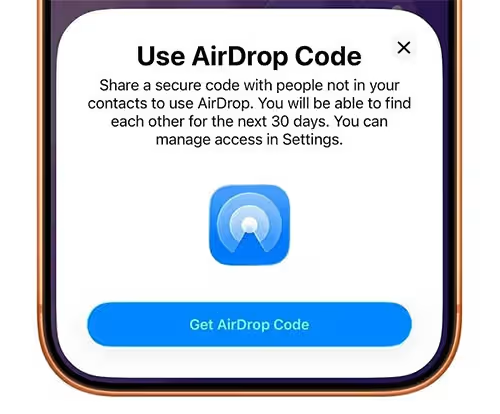
Known AirDrop contacts can be managed directly in Settings. Here’s how the new feature works: How to Use AirDrop Codes in iOS 26.2 (No Contacts Required).
Apple Music Updates
Apple Music now supports offline lyrics, making it easier to follow along without a data connection. The Favorite Songs playlist also appears more prominently in Top Picks on the Home tab.
Sleep Score Changes
Sleep Score ranges have been adjusted in iOS 26.2 and watchOS 26.2 to better reflect how users feel after sleep. The top score is now labeled Very High instead of Excellent, and the scoring ranges have shifted accordingly.
Sleep Score continues to be based on duration, bedtime consistency, and interruptions.
Podcasts App Upgrades
The Podcasts app adds three notable features:
- Automatically generated chapters
- Mentions of other podcasts surfaced from transcripts
- Clickable links from episodes shown on the episode page
These changes make podcasts easier to navigate and explore.
Passwords App Controls
A new setting lets users manage websites where passwords should never be saved. This adds finer control for shared systems or sensitive services.
Freeform Tables
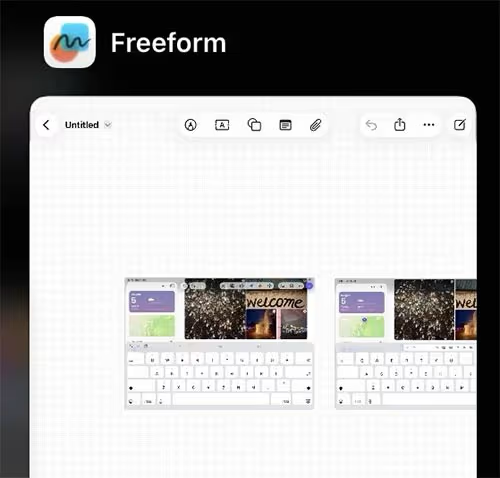
Freeform now supports tables that can contain text, images, documents, and drawings. Cells resize dynamically, making boards far more structured and useful for planning.
Apple News redesign
Apple News gets quick access buttons for categories like Sports, Business, and Puzzles. There is also a new Following tab that is no longer tied to Search.
Home App Improvements
The Home app now supports multipack accessory pairing, allowing users to set up multiple accessories with a single setup code.
Accessibility Updates
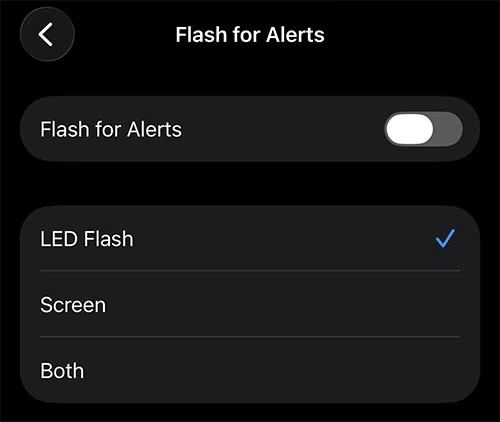
Flash for Alerts can now flash the entire screen instead of only the rear LED. Users can choose screen flash, LED flash, or both for incoming notifications. To set it up, check out this guide: How to Make Your iPhone Flash the Screen for Notifications in iOS 26.2.
Safety and Emergency Alerts
Enhanced Safety Alerts provide richer emergency notifications with maps and guidance links. This feature is currently limited to the United States.
Measure App Refresh
The Measure app now uses a Liquid Glass design for its level tool, replacing white circles with translucent bubbles.
Games App Enhancements
Games can now be sorted by size in the Library. Controller navigation has improved, and challenge score banners update in real time during gameplay.
CarPlay Changes
Drivers can disable pinned Messages in CarPlay, returning to the classic Messages view.
Menu Animation Updates
Pop-out menus now use faster, bouncier animations similar to what Apple previewed at WWDC.
Privacy Notices
After updating, users see a new notice explaining updated Apple Account privacy information and data usage.
AirPods Live Translation Expansion
AirPods Live Translation is now available in the European Union. It works with AirPods Pro 3, AirPods Pro 2, and AirPods 4 with ANC, supporting multiple languages including English, French, German, and Japanese.
Region-Specific Changes
Japan
- Choice of default voice assistant using the Side Button
- Search engine selection prompt on setup
- Support for third-party app stores
Texas
Apple adds tools to comply with upcoming App Store accountability laws, including age confirmation and parental consent systems.
iPadOS 26.2 Multitasking Bonus
iPadOS 26.2 restores drag and drop multitasking from the App Library, Dock, and Spotlight into Slide Over and tiled views.
Bug Fixes and Security Updates
iOS 26.2 fixes over 20 security vulnerabilities, including actively exploited WebKit flaws. Apple strongly recommends updating all supported devices.
What devices support iOS 26.2?
iOS 26.2 is available for all iPhones compatible with iOS 26.
Is iOS 26.2 a major update?
It is a feature focused update with quality of life improvements rather than a redesign.
Should you update to iOS 26.2?
Yes. It includes important security fixes and useful everyday improvements.


![Can You Easily Repair the MacBook Neo? Teardown Reveals a Surprisingly Repair-Friendly Design [U]](https://404daily.com/wp-content/uploads/2026/03/macbook-neo-easy-to-repair-300x158.webp)