

WhatsApp is making it easier to plan gatherings with people who don’t use the messaging app. With a new update to its Events feature, you can now share an event invitation with anyone through a link, allowing them to view the details and RSVP without installing WhatsApp or creating an account.
The change is useful for situations where your guest list includes people who use different messaging platforms. Instead of sending separate invitations or asking everyone to join a WhatsApp group, you can share one event link through a text message, email, or another app.
Meta announced the update on November 5, 2026, alongside a redesigned Events experience that brings invitations and RSVP management into one place.
Here’s how the new WhatsApp event invitations work and what you should know before sharing one.
How WhatsApp event invitations work
WhatsApp’s updated Events feature lets you create an event, add a cover photo, and share an invitation link with people outside the app.
Anyone who receives the link can open it to view the event details and respond, even if they don’t have a WhatsApp account. They don’t need to download the app just to confirm whether they plan to attend.
This makes WhatsApp Events more useful for gatherings involving people from different social circles. For example, you could invite family members, colleagues, or friends who don’t use WhatsApp without having to move the entire conversation to another platform.
You can also share the invitation link outside WhatsApp, rather than limiting it to people in your contacts or an existing group chat.
How to invite someone to a WhatsApp event without an account
If the updated Events experience is available on your account, you can create an event and share its invitation link with people who don’t use WhatsApp.
Follow these steps:
- Open WhatsApp on your phone.
- Go to Settings and select Events.
- Tap the + button to create a new event.
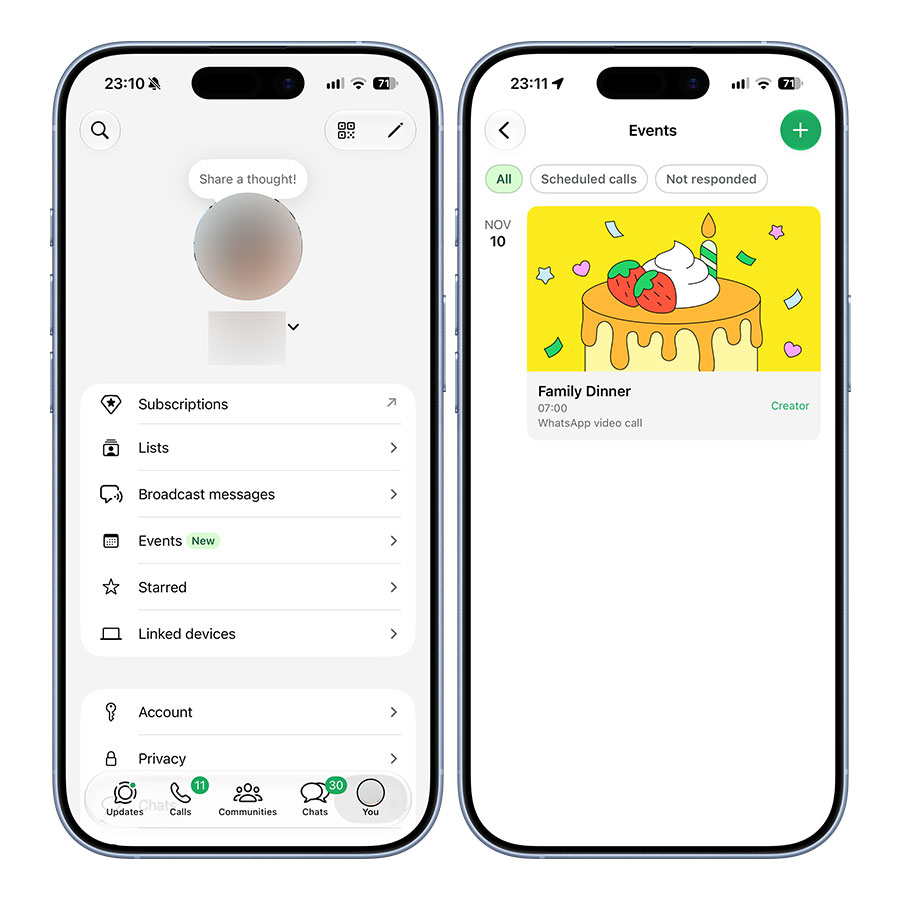
- Add the event details, including its name, date, and time.
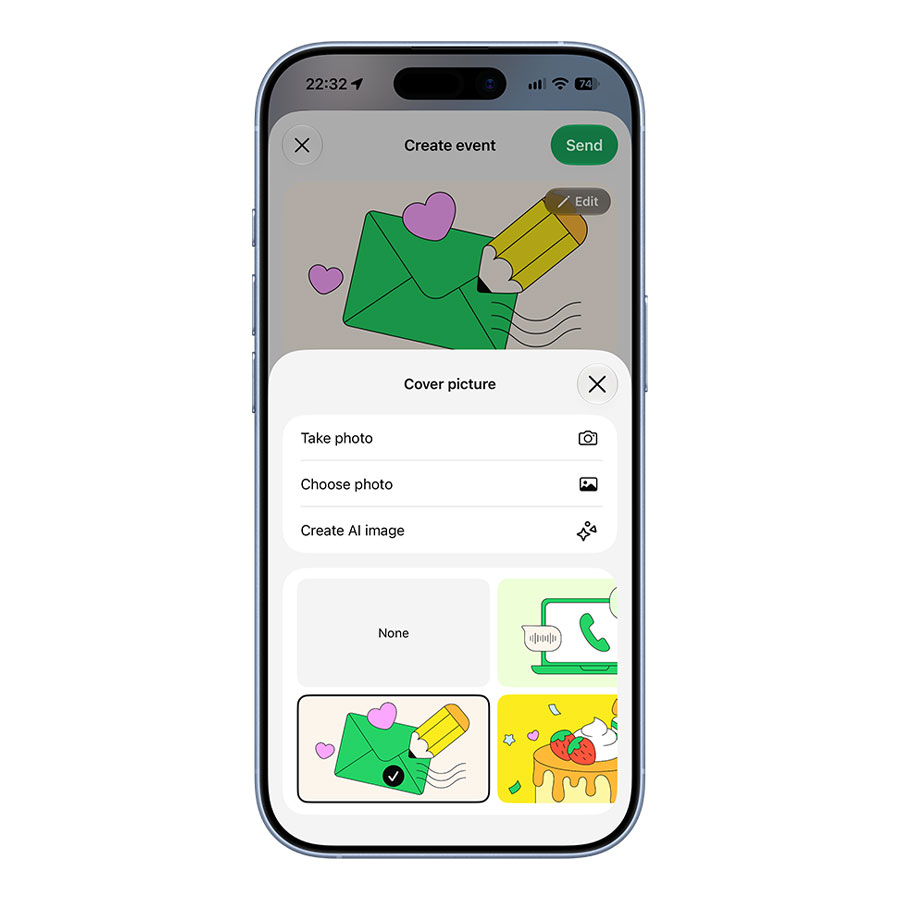
- Add a cover photo if you want to customize the invitation.
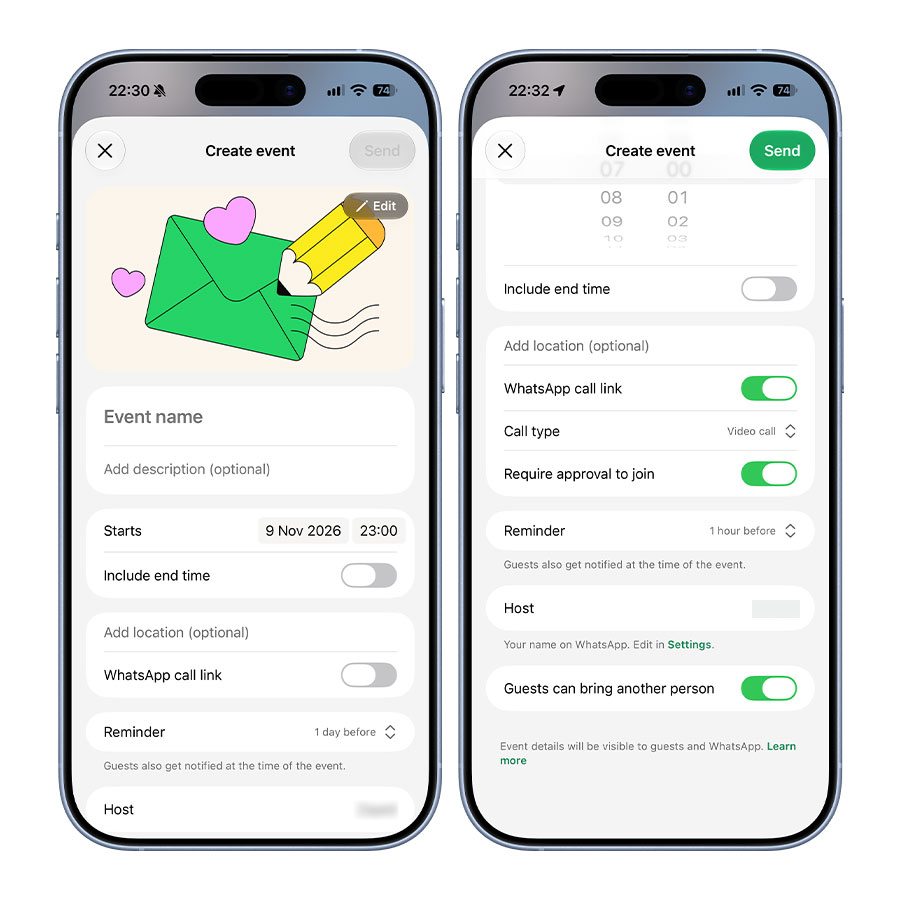
- Review the available options, such as reminders and allowing guests to bring a plus-one.
- Create the event and look for the option to share its invitation link.
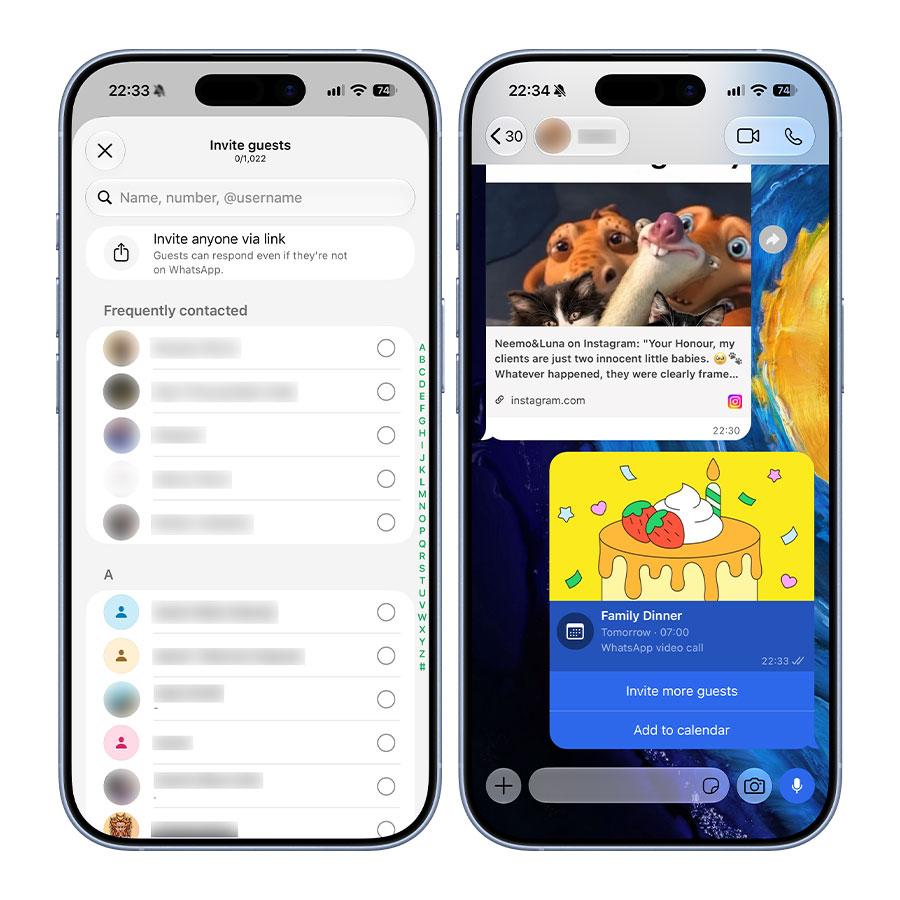
- Copy the link and send it to anyone you want to invite.
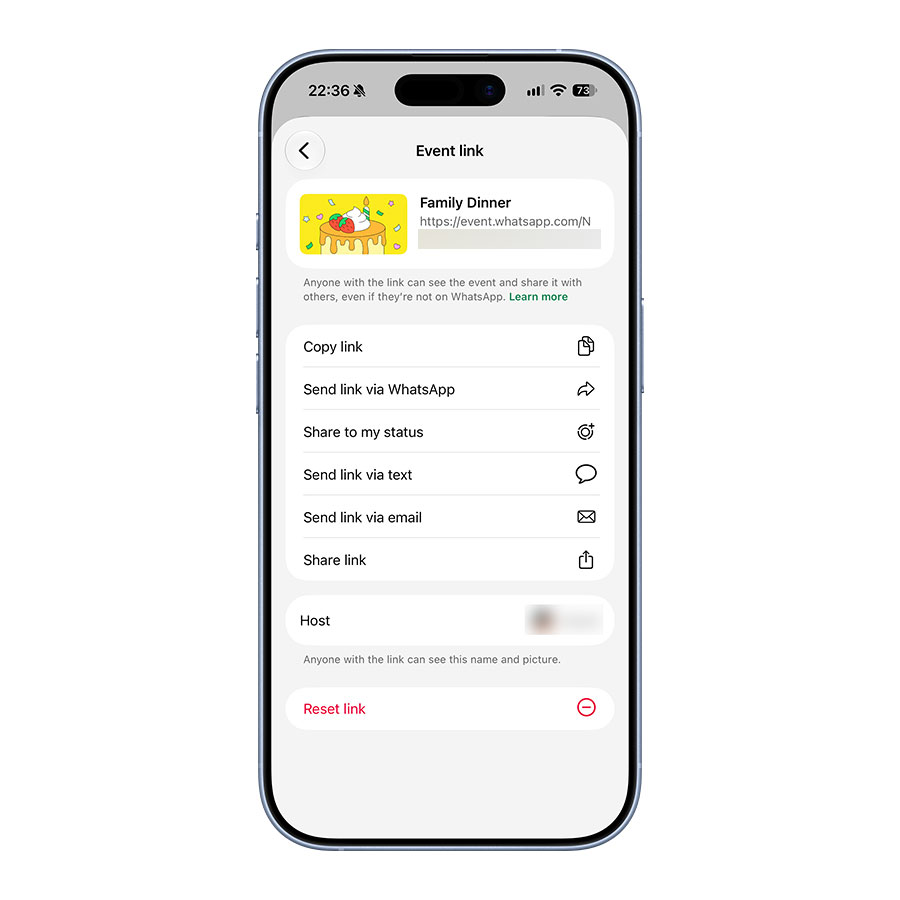
You can share the link through a regular text message, email, or another messaging app. WhatsApp also supports sharing an invitation through a QR code, giving guests another way to access the event.
The exact options may vary depending on your app version and whether the updated feature has reached your account.
How guests can RSVP without WhatsApp
The main advantage of the update is that guests don’t need a WhatsApp account to respond to an invitation.
When someone opens your shared event link, they can view the event information and submit an RSVP without downloading the app. This means they can respond even if they normally use iMessage, Telegram, or another messaging service.
Once a guest responds, their RSVP can be managed alongside the other invitations in WhatsApp’s Events section.
There is one privacy detail worth knowing: people without a WhatsApp account can only see the event’s address after they RSVP. This means the location isn’t immediately exposed to someone simply because they have received the invitation link.
What’s new in WhatsApp’s Events Home?
The ability to invite people without WhatsApp isn’t the only change. Meta is also introducing a dedicated Events Home, designed to make event planning easier to manage.
Previously, WhatsApp events were closely tied to conversations and group chats. Finding an older invitation could mean going back through a conversation to locate it.
The new Events Home brings your event activity together in one place. You can find events you’ve created as well as those you’ve been invited to, with a list of past and upcoming gatherings.
The updated experience also includes a few useful planning options:
- Custom invitations: Add a cover photo and create more personalized event invitations.
- RSVP management: Keep track of responses without searching through individual conversations.
- Custom reminders: Send reminders to help guests keep the event on their calendars.
- Plus-one option: Allow guests to bring another person when creating an event.
To find the Events Home, open WhatsApp’s Settings and select Events. The section is intended to provide a central place for managing invitations and upcoming plans.
Does WhatsApp show your phone number to people you invite?
Privacy is an important consideration when sharing an invitation with people outside your contacts.
Meta says your phone number won’t be shown to guests you don’t know. This is particularly relevant when an event link is shared beyond your usual WhatsApp conversations.
There is another restriction for guests without WhatsApp accounts. They can view the event details, but the event address only becomes visible after they RSVP.
These measures give hosts a little more control over what information is immediately available to people opening an invitation link.
However, you should still be thoughtful about where you share an event link. Anyone who receives it may be able to open the invitation, so it’s better to send it directly to the people you actually want to attend rather than posting it publicly.
Why this update is useful
WhatsApp has long been a convenient place to coordinate plans with friends and family, but its event invitations had a limitation: not everyone you wanted to invite necessarily used the app.
That could make organizing a gathering unnecessarily complicated. You might have to create a WhatsApp group for some guests, send separate messages to others, and keep track of responses across different platforms.
Shareable event links address that problem. A host can create one invitation and distribute it wherever their guests are most comfortable communicating.
The new Events Home also makes sense for people who regularly organize gatherings. Having upcoming invitations and responses in one place should make it easier to keep track of plans without digging through old chats.
It’s a relatively small change, but it makes WhatsApp Events more accessible to people who aren’t part of the platform.
When will the new WhatsApp Events features be available?
Meta announced the updated Events experience on November 5, 2026, and says it is rolling out to everyone over the following weeks.
That means the feature may not appear on every account immediately. If you don’t see the Events section in Settings or the option to share an invitation link, your account may not have received the update yet.
Make sure you’re using the latest version of WhatsApp and check again as the rollout continues. Meta has not provided a specific date for when the update will reach every user.
Frequently asked questions
Can I invite someone to a WhatsApp event if they don’t have WhatsApp?
Yes. You can share an event invitation link with them. They can open it, view the event details, and RSVP without downloading WhatsApp or creating an account.
Do guests need to install WhatsApp to RSVP?
No. People without a WhatsApp account can respond through the shared invitation link.
Can I share a WhatsApp event invitation through email or text?
Yes. You can share the invitation link outside WhatsApp, including through text messages and email. A QR code is also available as another sharing option.
Can people without WhatsApp see the event address?
Not immediately. Meta says guests without a WhatsApp account will only see the event address after they RSVP.
Can invited guests see my phone number?
Meta says your phone number is not shown to guests you don’t know.
Where can I find my WhatsApp events?
Open WhatsApp, go to Settings, and select Events. The new Events Home brings together past and upcoming events, including invitations you’ve created or received.
Why can’t I see the new WhatsApp Events feature?
The update is rolling out gradually. Meta says it will reach everyone over the following weeks, so it may take some time before the new options appear on your account.