For years, changing your Gmail address was simply not possible. If you picked an outdated or unprofessional username early on, your only real option was to create an entirely new Google account and start over.
That is finally changing.
Google is rolling out a long-requested feature that allows users to change their @gmail.com email address to a new @gmail.com address, all without losing emails, files, or account history. Android Police was among the first to highlight this development after Google quietly updated its official support documentation.
Here is how the process works, what to expect, and what you need to know before making the switch.
Who Can Change Their Gmail Address
The feature is rolling out gradually, so it may not be available to everyone yet. Google is enabling it account by account.
You may be eligible if:
- Your Google Account uses a @gmail.com address
- You are managing a personal Google Account, not a Workspace account
- The option appears in your account settings
If you do not see the option yet, there is nothing wrong with your account. It simply means Google has not enabled it for you yet.
How to Change Your Gmail Address Step by Step
Once the feature is available to you, changing your Gmail address takes only a few minutes.
- Simple head over to myaccount.google.com/google-account-email
- Select Change Google Account email
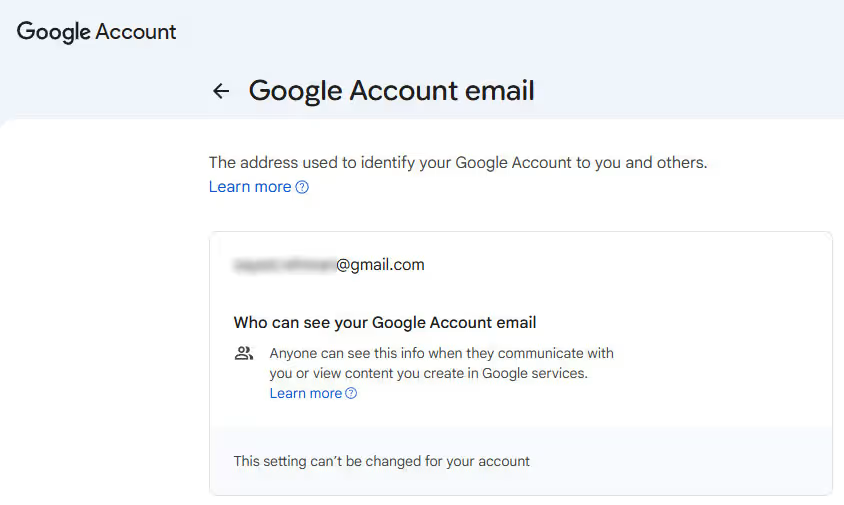
- Enter your new desired @gmail.com address
- Follow the on-screen verification steps
That is it. No account migration, no data transfer, and no inbox reset.
What Happens After You Change Your Gmail Address
Google designed this change to be low-risk and reversible.
After switching:
- Your old Gmail address becomes an alternate email on your account
- Emails sent to your old address will still reach you
- All emails, photos, Drive files, messages, and subscriptions remain untouched
- You can sign in using either your old or new email address
- Services like YouTube, Maps, Google Play, and Gmail continue working normally
From a user perspective, nothing breaks. Only the address changes.
Important Limitations to Know Before You Switch
There are a few rules worth understanding before committing.
- You can switch back to your previous Gmail address if you want
- You cannot create another new Gmail address for 12 months
- You cannot delete the newly created Gmail address
- Your old address cannot be reused to create a brand-new Google account
This is not a disposable rename tool. Google is treating Gmail identity changes as a serious, security-sensitive action.
Why Google Is Finally Allowing This
Gmail addresses are often created very early in a person’s digital life. Many users are still tied to usernames they chose as teenagers, long before professional or privacy concerns mattered.
By allowing Gmail address changes without forcing users to abandon years of data, Google is modernizing one of the internet’s most permanent identity systems.
It is a small setting change with an outsized impact.
What to Do If You Do Not See the Option Yet
If the change option is missing:
- Your account has not been enabled yet
- There is no way to force access
- Waiting is the only solution
Google has confirmed the feature is rolling out gradually, so availability will expand over time.
Final Thoughts
This update quietly removes one of Gmail’s longest-standing limitations. You no longer have to live forever with an email address you outgrew years ago.
If the option appears in your account, the process is simple, reversible, and safe. If it has not shown up yet, it is only a matter of time.
Your Gmail address is finally flexible.