Most WhatsApp users share links every day. What many don’t realize is that WhatsApp’s link preview feature can expose your IP address.
Even though WhatsApp chats are end-to-end encrypted, link previews work differently behind the scenes. Here’s what’s happening, and how to protect yourself.
Why WhatsApp link previews can reveal your IP address
When you paste a link into WhatsApp, the app automatically generates a preview. To do that, WhatsApp sends a “GET request” to the website hosting that link.
That request can include:
- Your IP address
- Your WhatsApp version
- Information about your operating system
Why this is a privacy risk
Your IP address can:
- Reveal your approximate location
- Be used for tracking
- Be targeted in network-based attacks (like port scans or DDoS attempts)
Meanwhile, sharing your app version could expose whether you’re running outdated software with known vulnerabilities. If privacy and security matter to you, it’s worth disabling this feature.
How to disable WhatsApp link preview (step-by-step)
Link preview is enabled by default. You’ll need to turn it off manually.
On iPhone (iOS):
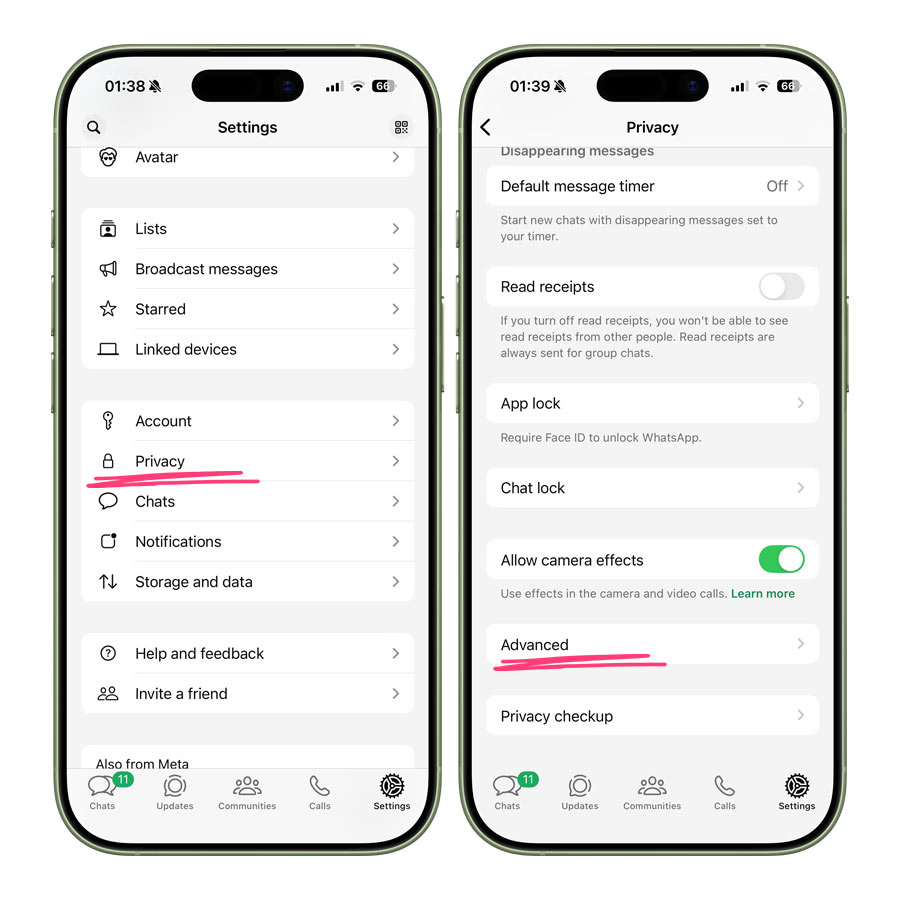
- Open WhatsApp and tap Settings (bottom right)
- Select Privacy followed by Advanced
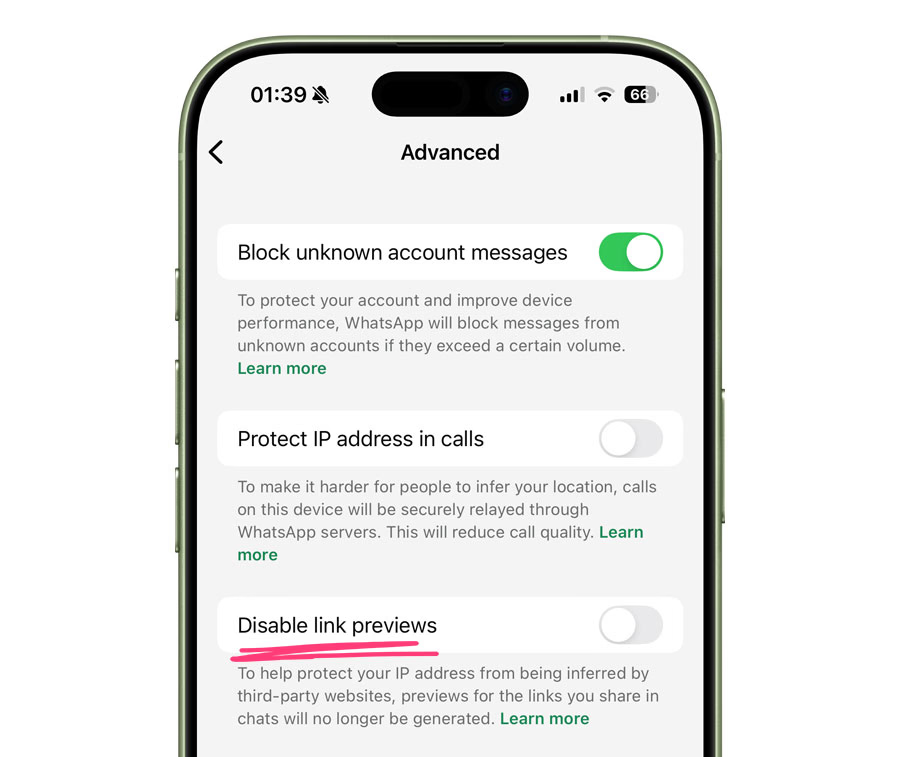
- Turn on Disable link previews
On Android:
- Open WhatsApp and tap the three-dot menu
- Go to Settings
- Tap Privacy
- Select Advanced
- Enable Disable link previews
On Desktop app:
This one’s pretty similar. Head to Settings > Advanced, and enable the toggle for ‘Disable link previews‘.
Once enabled:
- No preview image will appear when you send a link
- Only the raw URL will be visible in chat
Important: You will still see previews for links sent by others unless they disable it too.
Worth checking out: WhatsApp Web Starts Rolling Out Voice and Video Calls
Bonus: Protect Your IP Address During WhatsApp Calls
WhatsApp calls can also expose your IP address in certain cases.
To reduce this risk:
- Head to Settings > Privacy > Advanced
- Enable Protect IP address in calls
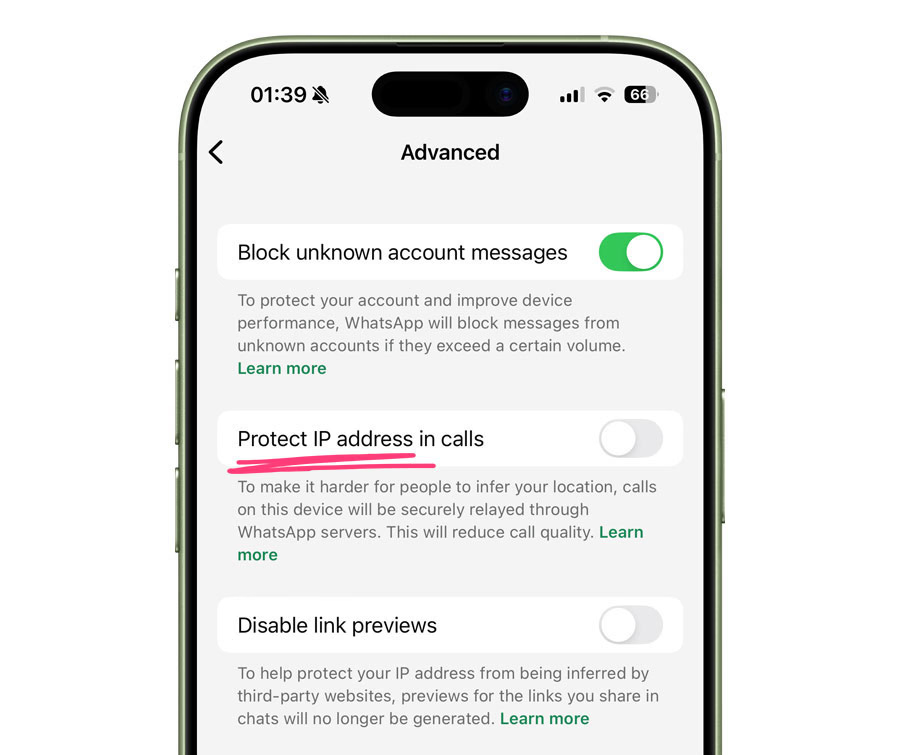
This routes calls through WhatsApp’s servers instead of connecting directly.
Should you disable link preview?
If you prioritize:
- Online privacy
- Reducing tracking exposure
- Minimizing attack surface
Then yes, disabling link previews and enabling IP protection is a smart move.
If convenience matters more, you may prefer keeping previews on. But at least now you understand the tradeoff.