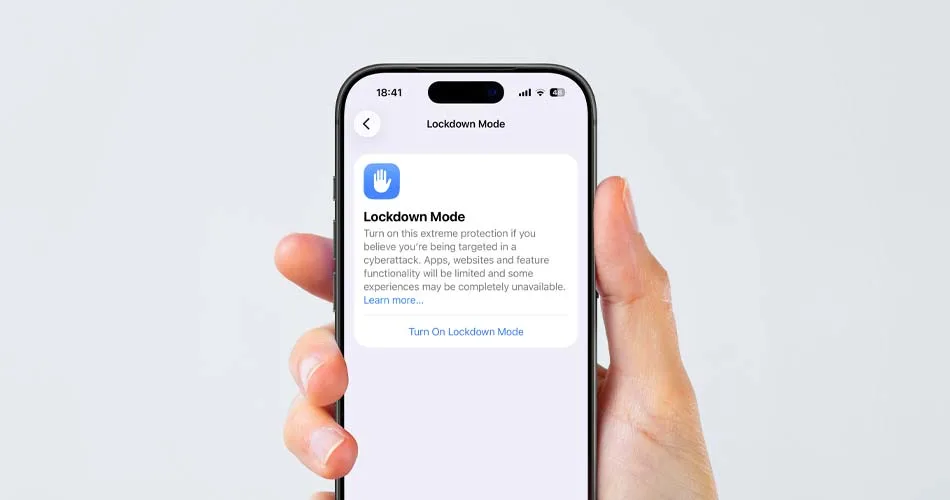
Apple’s Lockdown Mode just proved it is not theoretical. Earlier this year, the FBI seized an iPhone belonging to Washington Post reporter Hannah Natanson during a raid connected to an investigation into alleged leaks of classified information.
According to a court filing first reported by 404 Media, the FBI was unable to extract data from her iPhone because it was in Lockdown Mode.
Yes, the feature buried in your Settings app. And in this case, it worked.
What actually happened
As reported by 404 Media, the FBI raided Natanson’s home in January and confiscated multiple devices, including:
- A MacBook Pro
- An iPhone 13
The iPhone, however, presented a problem.
According to a court document filed by the government, the FBI’s Computer Analysis Response Team (CART) could not extract data from the device because Lockdown Mode was enabled.
The filing reportedly states:
“Because the iPhone was in Lockdown mode, CART could not extract that device.”
CART is the FBI unit responsible for forensic analysis of seized electronics. In other words, this is the team that specializes in getting data off locked devices.
And they could not get in.
The court filing was submitted about two weeks after the raid, suggesting that during that time, access attempts were unsuccessful due to Lockdown Mode restrictions.
It is unclear whether access was eventually obtained later. But at least initially, Apple’s highest security setting did exactly what it is designed to do.
Lockdown Mode is not just enhanced privacy
This is Apple’s most extreme defensive setting, designed for people who may be targeted by sophisticated spyware or state-level surveillance tools.
Most iPhone users will never need it. But this case shows something important: When enabled, Lockdown Mode can materially interfere with advanced forensic extraction attempts.
That moves it from “interesting security feature” to “proven real-world protection.”
What Lockdown Mode actually does
When you enable Lockdown Mode, your iPhone becomes significantly more restrictive.
Here’s what changes:
- Messages blocks most attachment types except images
- Link previews are disabled
- FaceTime calls from unknown contacts are blocked
- Advanced web technologies are disabled in Safari
- Wired connections are blocked while the iPhone is locked
- Configuration profiles cannot be installed
- Shared albums are removed
These restrictions dramatically reduce the attack surface of the device. Less functionality means fewer entry points. And in high-risk situations, that tradeoff may be worth it.
Who should consider using Lockdown Mode?
Apple built Lockdown Mode for:
- Journalists
- Activists
- Political figures
- Executives
- Individuals at risk of targeted digital surveillance
If you are not in a high-risk category, the restrictions may feel excessive.
But if you are handling sensitive information or operating in an environment where device compromise could have serious consequences, this feature is worth understanding.
How to Enable Lockdown Mode on iPhone
Turning it on is simple.
- Open Settings
- Tap Privacy & Security
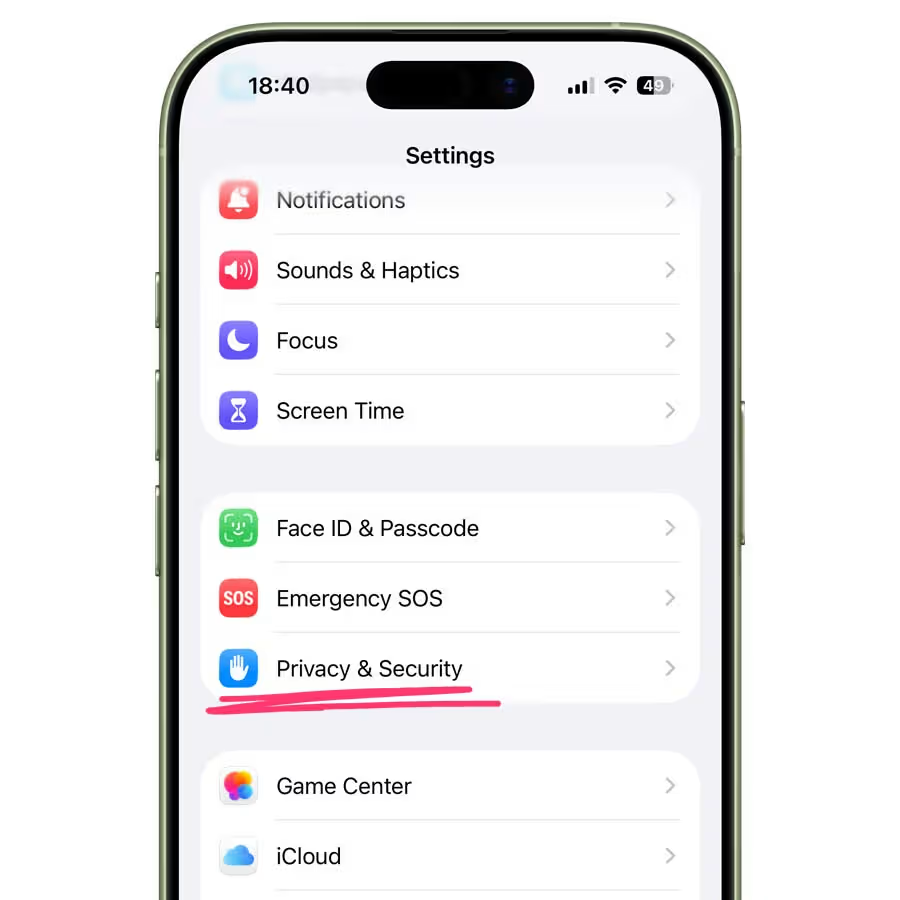
- Scroll down to Lockdown Mode
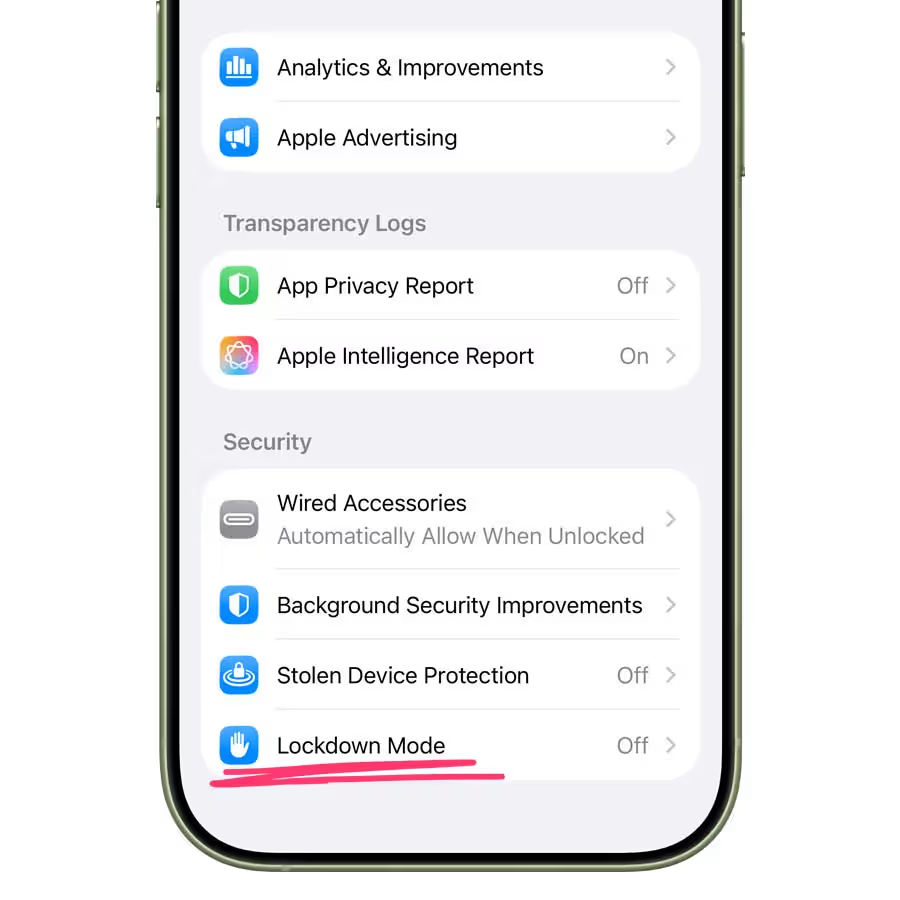
- Tap Turn On Lockdown Mode
- Confirm and restart your iPhone
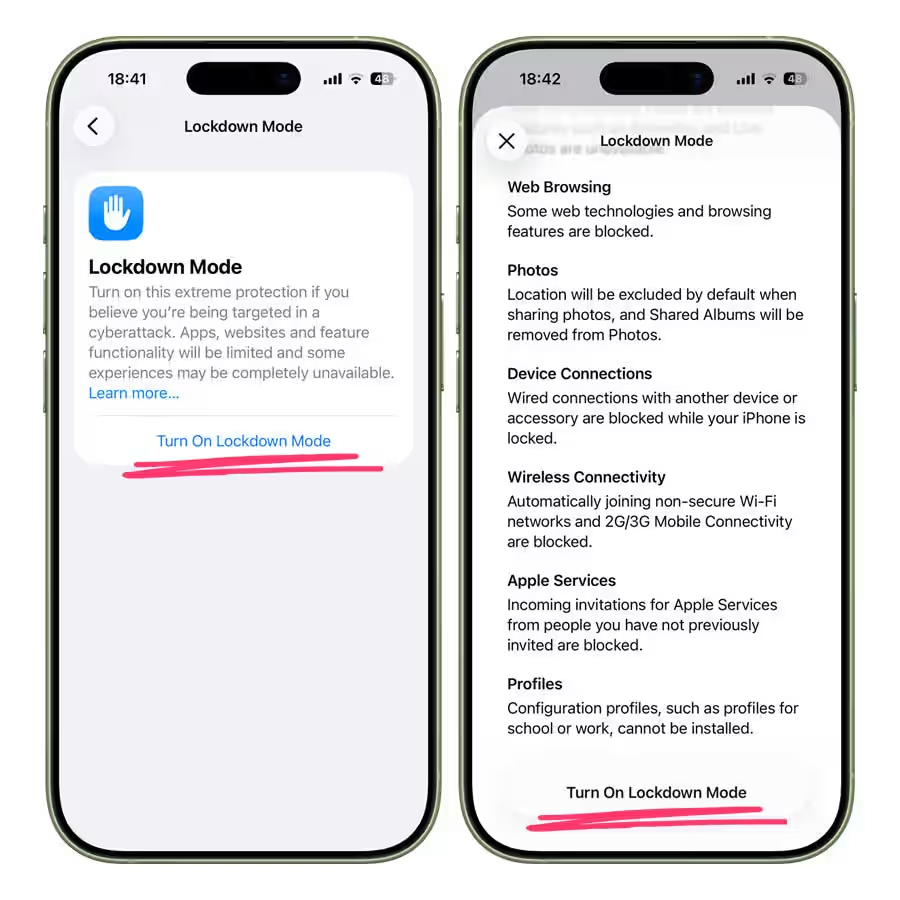
Once your device restarts, Lockdown Mode is active. You will see a notification at the top of certain apps reminding you that restrictions are in place.
How to turn off Lockdown Mode
If you no longer need it:
- Open Settings
- Go to Privacy & Security
- Tap Lockdown Mode
- Select Turn Off Lockdown Mode
- Restart your device
Your iPhone will return to normal operation after rebooting.
The bigger picture
This doesn’t mean an iPhone suddenly becomes invincible. No security system is absolute, and no device is completely untouchable.
What it does mean is this: Lockdown Mode isn’t marketing fluff. It’s a serious, hardened security configuration designed for high-risk scenarios. It changes how the iPhone behaves at a system level.
And now, we have real-world proof that it can make a difference.