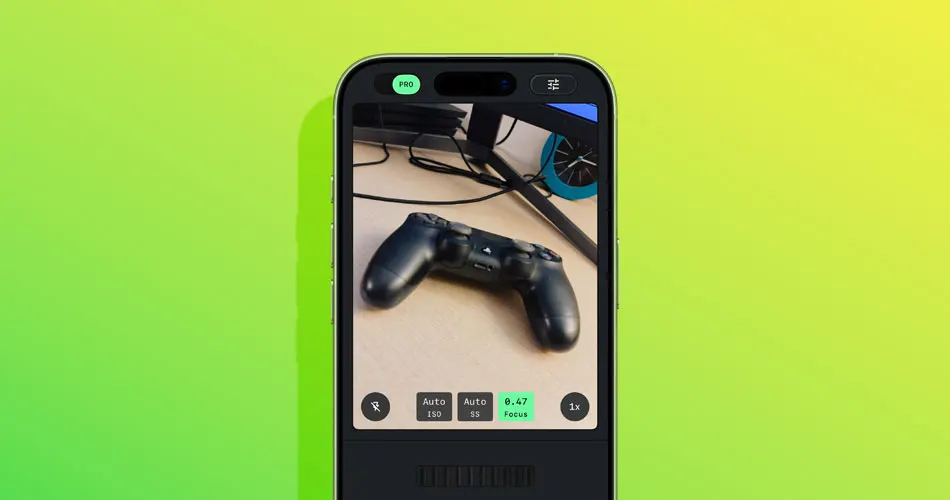
After a soft launch in December, Google is officially rolling out a redesigned Snapseed camera for iOS, transforming the app from a pure image editor into a full camera experience.
The update arrives with Snapseed 3.15.0, now available for free on the App Store.
Snapseed camera now built into the app
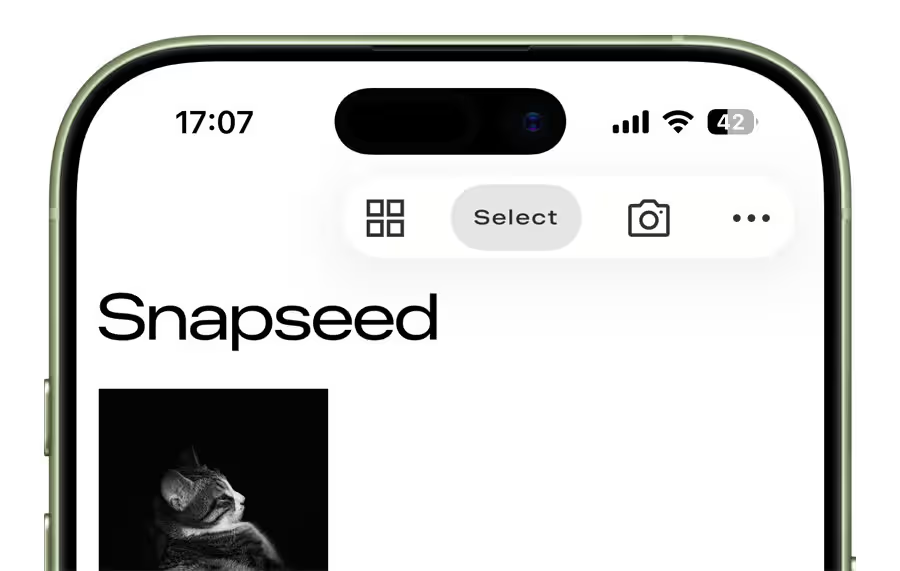
Previously, the Snapseed camera could only be accessed via a Lock Screen widget, Control Center, or Camera Control shortcut. With the latest update, a dedicated camera icon now appears in the top-right corner of the app, making it easier to launch directly.
This marks a significant shift in Snapseed’s positioning, expanding beyond editing into capture.
Pro manual controls: ISO, Shutter Speed, and Focus
Snapseed introduced manual exposure and focus adjustments last year, but the new update expands on that foundation.
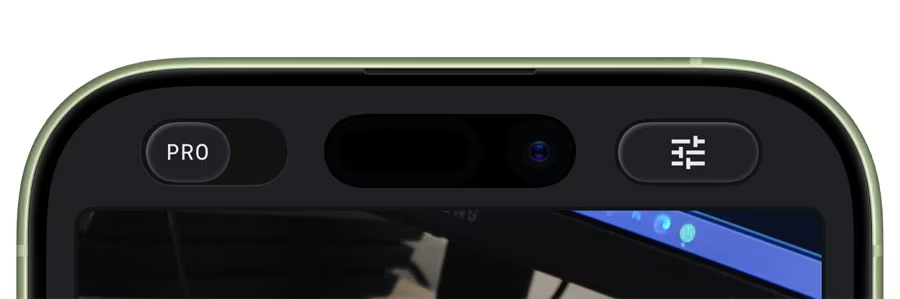
By enabling the “PRO” toggle in the top-left corner, users unlock manual controls directly in the viewfinder:
- ISO
- Shutter Speed
- Focus
A skeuomorphic dial allows switching from Auto to manual adjustments, reinforcing the retro camera aesthetic.
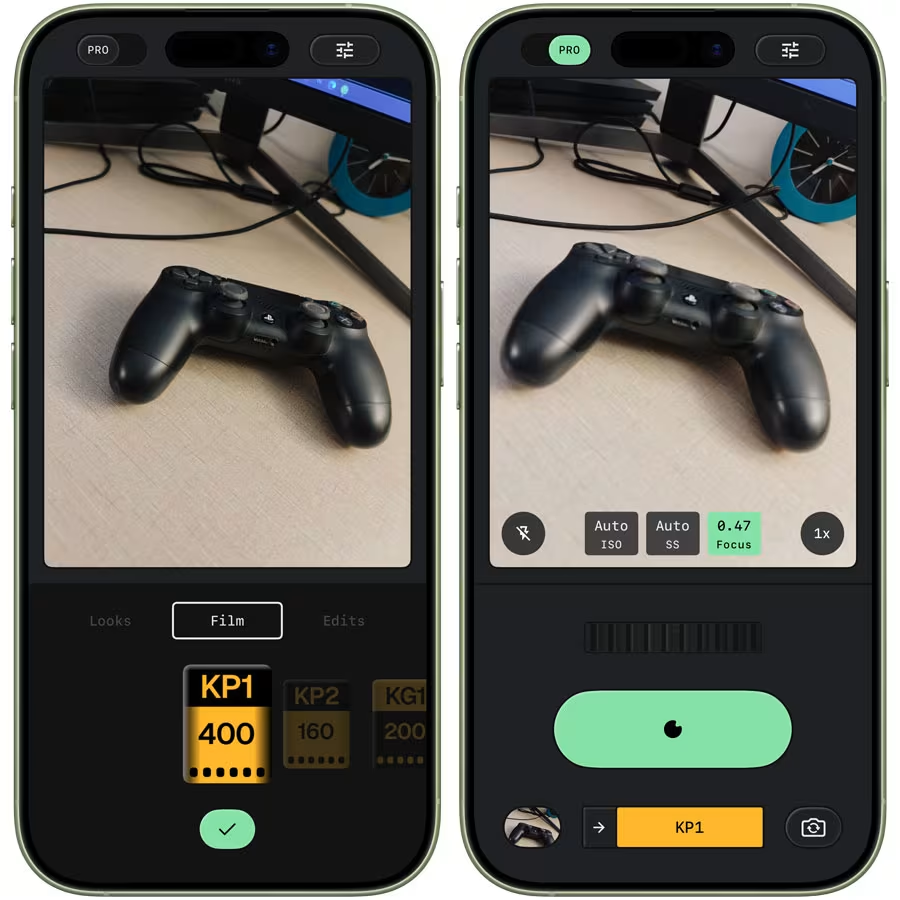
Flash has been repositioned to the bottom-left of the interface, with zoom controls placed on the opposite side for balanced ergonomics.
Real-time retro film emulation
One of the standout features is live film emulation. The Snapseed camera now offers real-time previews inspired by classic film stocks.
Available styles include:
- KP1 inspired by Kodak Portra 400
- KP2 inspired by Kodak Portra 160
- KG1 inspired by Kodak Gold 200
- KE1 inspired by Kodak E200
- FS1 inspired by Fuji Superia 200
- FS2 inspired by Fuji Superia 800
- FP1 inspired by Fuji Pro 400h
- AG1 inspired by Agfa Optima 200
- AS1 inspired by Agfa Scala 200
- PD1 inspired by Polaroid 600
- TC1 inspired by Technicolor
The interface leans heavily into skeuomorphism, including a rewind-style animation when switching film presets.
Non-destructive editing stack
According to Google, every photo captured with the Snapseed camera includes a full editing stack.
This allows users to:
- Modify or fine-tune the applied film look
- Adjust exposure or focus settings after capture
- Revert changes even after saving to the Photos app
The non-destructive workflow ensures flexibility without compromising original image data.
Custom viewfinder themes
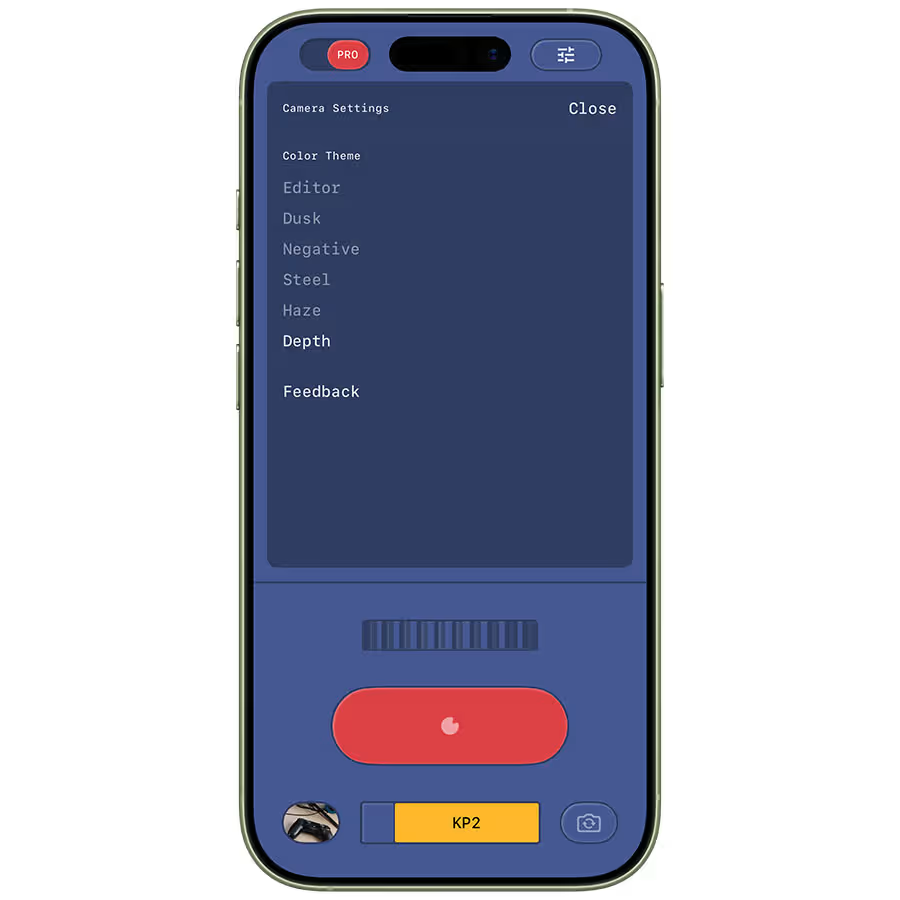
Users can also personalize the camera interface with multiple Color Theme options:
- Editor
- Dusk
- Negative
- Steel
- Haze
- Depth
These themes alter the visual styling of the viewfinder while maintaining full functionality.
Availability
Snapseed 3.15.0 is available now on the iOS App Store as a free update. Google is also working on bringing the redesigned editor, which debuted on iPhone and iPad last year, to Android.
With manual controls and real-time film simulation, Snapseed is positioning itself as both a creative camera and a powerful editor in one app.