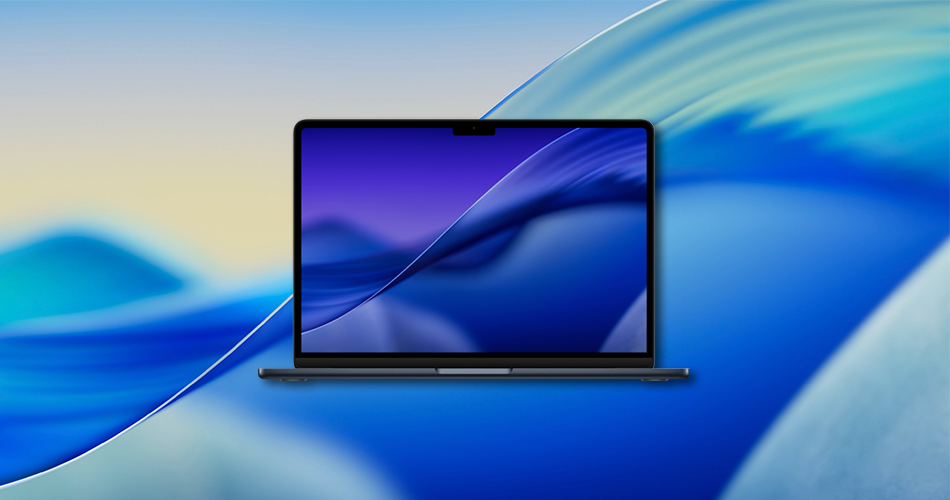
Get the brand new macOS Tahoe 26 wallpapers on your Mac today, available in both light and dark mode versions. Inspired by the stunning scenery of Lake Tahoe, these wallpapers match the fresh Liquid Glass design in macOS 26 perfectly.
Two Beautiful Wallpapers, One Seamless Look
Apple has introduced a complete visual refresh in macOS Tahoe 26, and these wallpapers are a key part of it. You’ll get:
- A light mode wallpaper with soft, airy gradients
- A dark mode version with moody tones and rich depth
- High-resolution versions in 6K and 4K, ideal for Retina displays
- Bonus: There’s also the Dynamic version as well.
Whether you’re using a MacBook Air, MacBook Pro, or an iMac, these wallpapers look stunning edge to edge.
Related: macOS Tahoe 26 Beta 1 Released: How to Download and Install
How to Download macOS 26 Wallpapers
- Click the links below to open each wallpaper.
- Right-click the image and choose “Save Image As…” to download.
- Head to System Settings > Wallpaper, and select your new download.
✅ Tip: If you’re using macOS 26 developer beta, the wallpapers may already be applied based on your system appearance settings.
Download Links
- Dynamic Wallpaper
- Light Mode Wallpaper – 6K (Square)
- Dark Mode Wallpaper – 6K (Square)
- Light Mode Wallpapers – 4K
- Dark Mode Wallpaper – 4K
Looking for iOS 26 wallpapers instead? Grab them here. If it’s iPadOS 26 Wallpapers, check them out here.